If you own a website, one of the biggest threats you can face is malware. When I first started learning about website security, I thought malware only affected large companies and popular websites. After spending more time managing websites, I realized that every website is a potential target. It does not matter if your website is new, small, or receives only a few visitors every day. Hackers often use automated tools that scan thousands of websites looking for security weaknesses.
That is why I believe protecting a website from malware should be one of the first priorities for every website owner. A malware infection can damage your reputation, reduce search engine rankings, steal visitor information, and even make your website completely inaccessible. Recovering from an attack can take days or even weeks, depending on how serious the infection is.
In this article, I will share the practical methods I personally believe every website owner should follow to keep a website safe from malware.
What Is Website Malware
Website malware is malicious software designed to harm a website or use it for illegal activities. Once hackers gain access, they may insert harmful code into files, databases, or themes. Sometimes the website owner does not even notice the infection until visitors start reporting problems.
Malware can redirect visitors to dangerous websites, display unwanted advertisements, steal login credentials, send spam emails, or infect the devices of people visiting the website. Some malware works silently in the background, making it difficult to detect.
The longer malware remains on a website, the more damage it can cause.
Why Websites Become Infected
Many people think hackers personally target every website. In reality, most attacks happen automatically. Bots continuously search the internet for websites with outdated software, weak passwords, or security vulnerabilities.
Some common reasons websites become infected include outdated content management systems, old plugins, vulnerable themes, weak administrator passwords, insecure hosting, and careless file permissions.
Understanding these risks helps me stay more careful whenever I manage a website.
Keep Your Website Software Updated
One of the easiest ways to prevent malware is by keeping everything updated.
If you use WordPress, Joomla, Drupal, or any other content management system, always install updates as soon as they become available. Developers regularly release security patches that fix newly discovered vulnerabilities.
The same rule applies to plugins, extensions, and themes.
Many successful hacking attempts happen simply because website owners ignore updates for months.
Whenever I receive an update notification, I try to install it after creating a backup. It only takes a few minutes but can prevent major security problems.
Use Strong Passwords
Weak passwords are one of the biggest security mistakes I often see.
Using simple passwords like “admin123” or “password” makes it easy for attackers to gain access through brute force attacks.
Instead, I recommend creating passwords that include uppercase letters, lowercase letters, numbers, and special symbols.
Every important account should have its own unique password, including your hosting account, website administrator account, FTP account, email account, and database login.
Password managers can also help generate and store strong passwords securely.
Enable Two Factor Authentication
Even strong passwords are not always enough.
Two factor authentication adds another security layer by requiring a second verification step before login.
Usually, this involves entering a code generated by an authentication application or sent to your mobile device.
Even if someone somehow discovers your password, they still cannot access your account without the second verification code.
I consider two factor authentication one of the most effective security improvements any website owner can enable.
Install a Trusted Security Plugin
A reliable security plugin continuously monitors your website for suspicious activities.
Many security plugins can detect malware, block suspicious login attempts, scan files for modifications, and strengthen website security settings automatically.
The right plugin can also notify you immediately if it detects unusual behavior.
Although security plugins cannot guarantee complete protection, they significantly reduce security risks when configured properly.
Choose Secure Web Hosting
Website security starts with your hosting provider.
A trusted hosting company usually offers built in firewalls, malware scanning, server monitoring, automatic backups, and regular software updates.
Cheap hosting services sometimes ignore important security practices, leaving customer websites more vulnerable.
Before selecting a hosting provider, I always check their reputation, customer reviews, and security features.
Paying slightly more for quality hosting can save much larger costs in the future.
Perform Regular Website Backups
Backups are your safety net.
Even with excellent security measures, no website can guarantee complete protection.
If malware infects your website, having a recent backup allows you to restore everything quickly.
I recommend creating automatic backups every day or every week depending on how frequently your content changes.
Store backup files in multiple secure locations instead of keeping them only on your hosting account.
Cloud storage and external storage devices provide additional protection.
Use an SSL Certificate
An SSL certificate encrypts communication between your website and visitors.
This protects sensitive information such as login credentials, payment details, and personal information from being intercepted.
Modern browsers also warn visitors when websites do not use HTTPS.
Besides improving security, SSL certificates help build trust with visitors and may improve search engine performance.
Today, I believe every website should use HTTPS regardless of its size.
Scan Your Website Frequently
Regular malware scanning helps identify problems before they become serious.
Many website owners only realize something is wrong after search engines display security warnings.
Routine scans can detect infected files, suspicious scripts, unauthorized changes, and hidden malware.
I prefer running scans regularly even when everything appears normal.
Early detection usually makes malware removal much easier.
Limit Administrator Access
Not everyone needs full administrator permissions.
The more administrator accounts your website has, the greater the security risk.
Only trusted individuals should receive administrator access.
Other users should receive permissions based only on the tasks they need to perform.
Removing unused accounts also improves website security.
Whenever someone no longer works on my website, I immediately disable or delete their account.
Protect Against Brute Force Attacks
Brute force attacks involve attackers repeatedly guessing usernames and passwords until they successfully log in.
Security plugins can limit failed login attempts and temporarily block suspicious IP addresses.
Changing the default administrator username also makes brute force attacks more difficult.
These small adjustments significantly improve login security.
Remove Unused Plugins and Themes
Many website owners install dozens of plugins but only actively use a few.
Inactive plugins and themes may still contain security vulnerabilities.
If I no longer use a plugin or theme, I completely remove it instead of simply deactivating it.
Keeping only necessary software reduces the number of possible attack points.
Monitor Website Activity
Website activity logs help track every important action performed on your website.
These logs can show login attempts, file changes, plugin installations, and administrator activities.
Reviewing activity logs regularly makes it easier to detect suspicious behavior early.
If I notice unexpected login attempts or unauthorized changes, I immediately investigate before the situation becomes worse.
Secure File Permissions
Incorrect file permissions may allow attackers to modify important website files.
Most hosting providers recommend specific permission settings for folders and files.
Following these recommendations reduces unauthorized access while allowing your website to function normally.
Whenever I upload new files, I verify that their permissions remain secure.
Disable File Editing
Some content management systems allow administrators to edit website files directly from the dashboard.
Although convenient, this feature creates additional security risks.
If hackers gain administrator access, they can instantly modify important website files.
Disabling built in file editing reduces the damage an attacker could cause.
Use a Web Application Firewall
A Web Application Firewall filters malicious traffic before it reaches your website.
It blocks many common attacks including SQL injection attempts, cross site scripting attacks, and malicious bots.
Many firewall services also provide automatic updates that protect against newly discovered threats.
Adding a firewall creates another valuable layer of defense.
Be Careful with Third Party Downloads
Free themes, plugins, and scripts downloaded from unknown websites may already contain malware.
I only install software from trusted developers and official marketplaces.
Saving a few dollars by downloading unauthorized software is never worth the security risk.
Original software receives updates and security patches that help keep websites protected.
Check Your Website Regularly
Do not assume everything is fine just because your website appears normal.
Visit different pages regularly.
Test forms.
Check loading speed.
Review search engine results.
Look for unusual advertisements, unexpected redirects, or unfamiliar content.
Small warning signs often appear before major security problems develop.
Create a Website Security Routine
Website security should become a regular habit rather than a one time task.
My routine includes checking updates, reviewing backups, scanning for malware, monitoring login activity, testing website performance, and verifying security settings.
Following a consistent routine helps catch small problems before they grow into expensive disasters.
Even spending fifteen minutes every week on website security can make a huge difference.
Final Thoughts
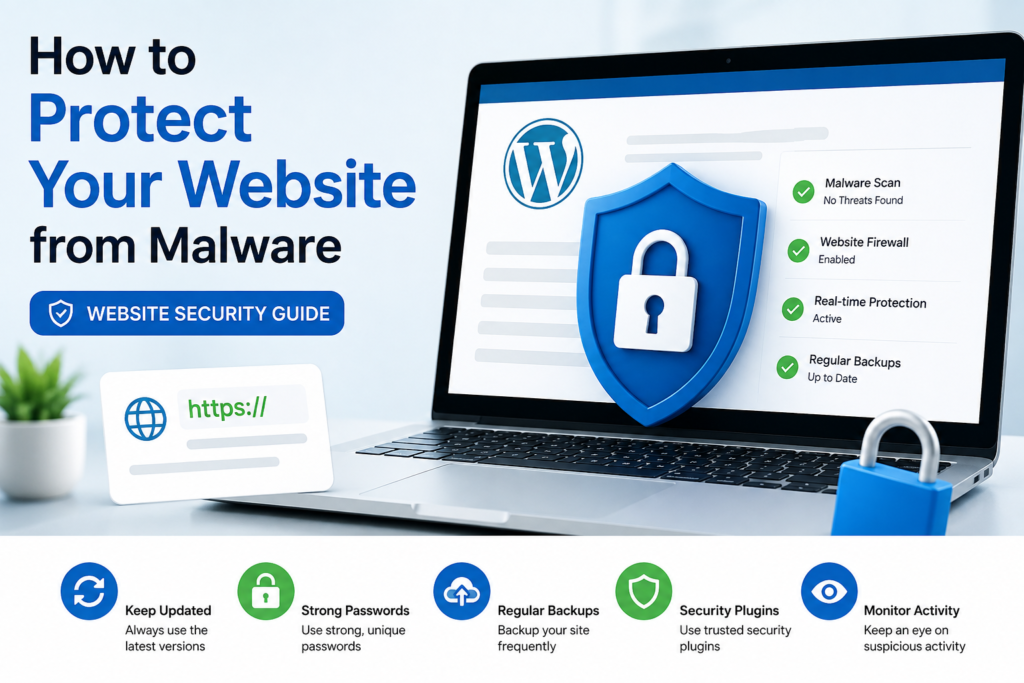
Protecting a website from malware is not about finding one perfect security solution. Instead, it involves combining several smart practices that work together. Keeping software updated, creating strong passwords, enabling two factor authentication, using reliable hosting, installing security tools, performing regular backups, scanning for malware, and monitoring website activity all contribute to a much safer website.
From my experience, prevention is always easier than recovery. Cleaning an infected website can be stressful, time consuming, and expensive. Taking simple security precautions today can save countless hours of frustration in the future.
No website can ever be one hundred percent immune to cyber threats, but by following these best practices, you can greatly reduce the chances of malware infecting your website. Staying alert, keeping everything updated, and making security a regular part of website management will help protect both your website and the people who visit it.