The internet has become an important part of my daily life. I use it for work, learning, shopping, banking, communication, and entertainment. While the online world offers countless opportunities, it also comes with many security risks. I have learned that staying connected is not enough. I also need to stay protected. Every day, millions of people become victims of online attacks because they are unaware of the dangers that exist on the internet.
In my opinion, understanding common online security threats is one of the smartest things anyone can do. Cybercriminals are constantly finding new ways to steal personal information, money, and sensitive data. They target individuals, businesses, students, and even government organizations. Fortunately, many of these threats can be avoided if we know how they work and take the right precautions.
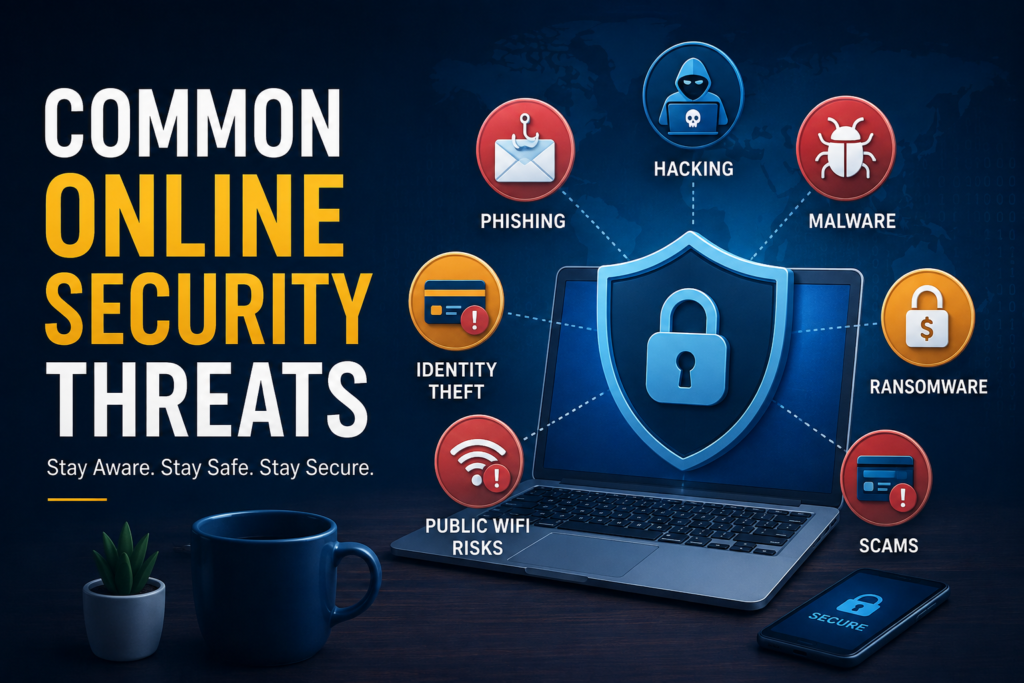
In this article, I will explain the most common online security threats that everyone should know. I will also share practical tips that I personally believe can help anyone stay safe while using the internet.
Why Online Security Matters
Before talking about specific threats, I think it is important to understand why online security matters so much. Almost every aspect of our lives is connected to the internet. We save photos online, manage bank accounts through mobile apps, send emails, use social media, and shop on different websites.
If our online accounts are compromised, the consequences can be serious. Someone could steal our identity, misuse our financial information, or gain access to private conversations. In some cases, recovering from a cyberattack can take weeks or even months.
That is why I believe prevention is always better than dealing with the damage later.
Phishing Attacks
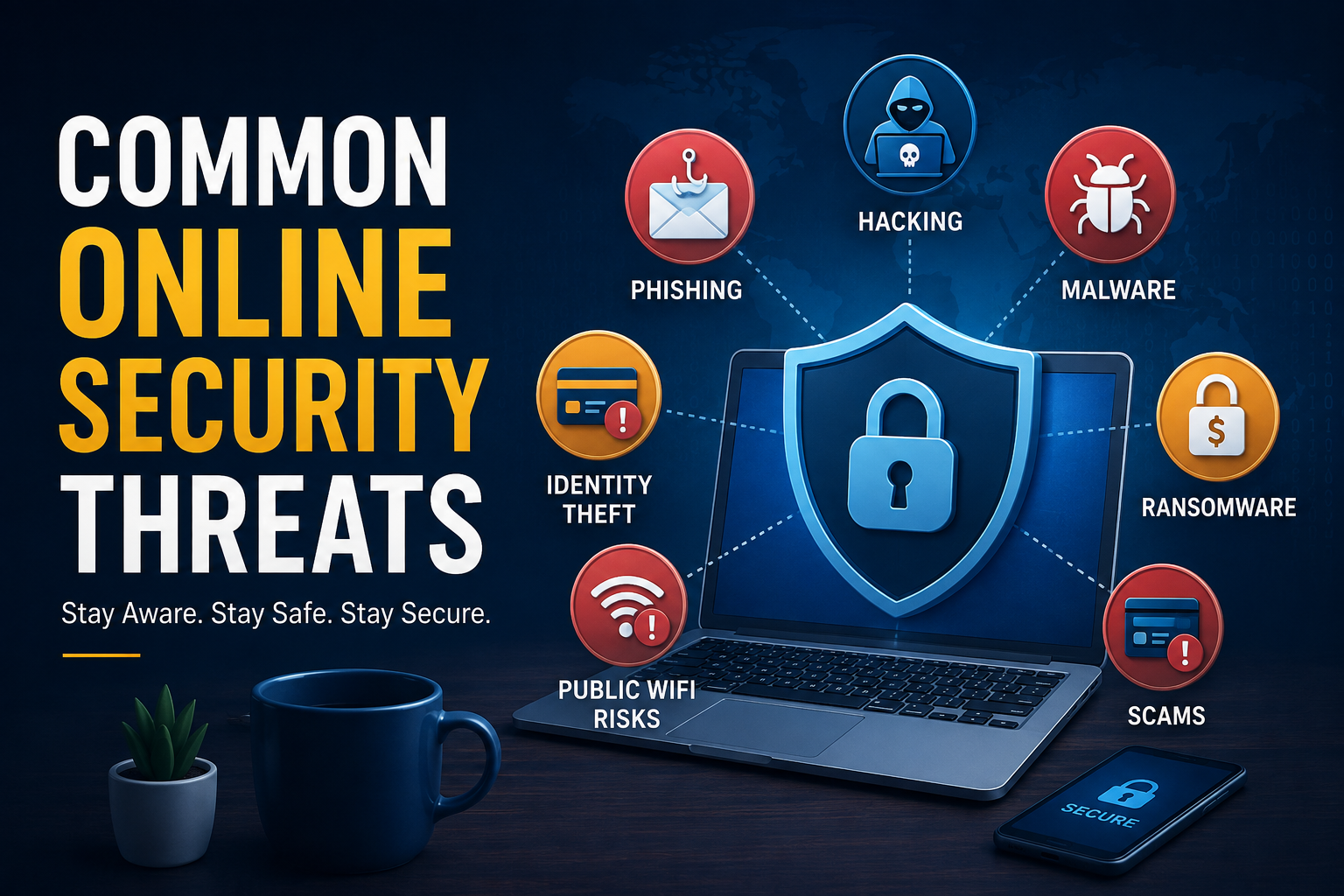
Phishing is one of the most common online security threats today. I have seen fake emails, text messages, and websites that look almost identical to legitimate ones. Their goal is simple. They want to trick people into sharing sensitive information such as passwords, credit card numbers, or banking details.
For example, a fake email may claim that your bank account has been locked and ask you to click a link. Once you enter your login information, the attackers immediately capture your credentials.
I always make it a habit to check the sender’s email address and never click suspicious links. If I receive an unexpected message asking for personal information, I visit the official website directly instead of using the provided link.
Malware
Malware is another major online security threat. The word malware refers to malicious software designed to damage devices or steal information.
There are different types of malware, including viruses, worms, spyware, adware, and ransomware. Malware often enters a device through infected downloads, fake software, suspicious email attachments, or compromised websites.
I never download files from unknown websites because I know they might contain hidden malware. I also keep my antivirus software updated so it can detect threats before they cause damage.
Ransomware
Ransomware has become one of the most dangerous cyber threats in recent years. This type of malware locks or encrypts files on a computer, making them inaccessible. The attackers then demand payment in exchange for restoring access.
Imagine losing all your family photos, work documents, or business records overnight. That is exactly what ransomware can do.
I believe the best defense against ransomware is creating regular backups. If important files are backed up safely, recovering from an attack becomes much easier without paying criminals.
Password Attacks
Weak passwords make it easy for hackers to break into online accounts. Many people still use simple passwords like 123456 or password. These passwords can be guessed within seconds.
Hackers also use automated tools that try thousands of password combinations until they find the correct one.
I always recommend creating strong passwords that include uppercase letters, lowercase letters, numbers, and special characters. Using a different password for every account also adds an extra layer of security.
A password manager can help generate and store complex passwords without needing to remember each one.
Identity Theft
Identity theft happens when criminals steal personal information and pretend to be someone else. They may use stolen information to open bank accounts, apply for loans, or make purchases.
Information used for identity theft often comes from phishing attacks, data breaches, or stolen documents.
I avoid sharing unnecessary personal details online because even small pieces of information can help cybercriminals build a complete profile.
Monitoring financial statements regularly can also help detect suspicious activity early.
Fake Websites
Many fake websites are designed to look exactly like trusted brands. Their purpose is to steal login credentials or payment information.
Sometimes the differences are very small. The website address may contain an extra letter or a slightly different spelling.
Whenever I shop online or log into important accounts, I always check the website address carefully. I also make sure the website uses a secure HTTPS connection before entering sensitive information.
Social Engineering
Social engineering is a psychological attack rather than a technical one. Instead of hacking computers directly, criminals manipulate people into revealing confidential information.
An attacker may pretend to be a company employee, technical support representative, or even a friend. They create a sense of urgency so the victim acts without thinking.
I have learned that it is always better to verify someone’s identity before sharing private information. A few extra minutes of verification can prevent serious problems.
Public WiFi Risks
Free public WiFi is convenient, but it can also be dangerous. Hackers sometimes create fake WiFi networks that appear legitimate.
When someone connects to these fake networks, attackers may intercept their internet traffic and steal sensitive information.
I avoid logging into banking accounts or making online payments while connected to public WiFi. If I must use public internet, I prefer using a trusted VPN to protect my connection.
Data Breaches
Data breaches have become increasingly common over the past few years. A data breach happens when hackers gain unauthorized access to a company’s database and steal customer information. This information may include names, email addresses, phone numbers, passwords, and even financial details.
Even if I do everything right, I understand that my information could still be exposed if a company I trust experiences a security breach. That is why I never use the same password for multiple accounts. If one account is compromised, my other accounts remain protected.
I also pay attention to security notifications from websites and immediately change my password if I receive a warning about suspicious activity.
Spyware
Spyware is another hidden threat that many people do not notice until it is too late. This type of software secretly collects information from a device without the user’s knowledge.
Spyware can record browsing habits, capture passwords, monitor keyboard activity, and even access personal files. It often gets installed through unsafe downloads or fake software.
To reduce the risk, I only install applications from trusted sources. I also keep my operating system and security software updated because updates often fix security weaknesses that attackers try to exploit.
Online Shopping Scams
Shopping online has made life much easier, but it has also created opportunities for scammers. Fake online stores often advertise expensive products at unbelievably low prices to attract buyers.
Once a customer places an order, the product never arrives, or they receive a fake or poor quality item. In some cases, the scammers simply disappear after collecting payment information.
Before buying anything online, I always check customer reviews, verify the website’s reputation, and avoid deals that seem too good to be true. A little research can prevent both financial loss and disappointment.
Email Scams
Email scams remain one of the easiest ways for cybercriminals to target internet users. These emails often promise prizes, job opportunities, investment offers, or urgent account updates.
The scammers want people to click harmful links, download infected files, or provide confidential information.
Whenever I receive an unexpected email asking me to act immediately, I slow down and verify its authenticity. Legitimate organizations rarely ask for passwords or banking details through email.
Social Media Threats
Social media platforms connect millions of people, but they also expose users to several security risks.
Fake profiles, phishing links, malicious advertisements, and identity theft are common problems on social networking sites. Oversharing personal information can also make it easier for criminals to target individuals.
I try to limit the amount of personal information I share publicly. I also review my privacy settings regularly and only accept friend requests from people I actually know.
Man in the Middle Attacks
A Man in the Middle attack happens when a cybercriminal secretly intercepts communication between two parties. The victim believes they are communicating securely, but the attacker is actually monitoring or modifying the data being exchanged.
This type of attack often occurs on unsecured public WiFi networks.
Using encrypted websites, avoiding unknown WiFi connections, and using a VPN can greatly reduce the risk of becoming a victim.
Account Takeover Attacks
Account takeover attacks occur when hackers gain access to someone’s online account. They may use stolen passwords from previous data breaches or phishing attacks.
Once inside an account, attackers can send fake messages, steal personal information, or even make unauthorized purchases.
I believe enabling two factor authentication is one of the easiest and most effective ways to protect online accounts. Even if someone steals my password, they still need a second verification code to log in.
Fake Mobile Applications
Not every mobile application available online is safe. Some fake apps are designed to look like popular applications but actually contain malware or spyware.
These apps may steal personal information, display unwanted advertisements, or secretly monitor device activity.
I only download apps from official app stores and always read user reviews before installing anything new.
How I Protect Myself Online
After learning about these online threats, I have adopted several habits that help keep my information safe.
I always use strong and unique passwords for every important account.
I enable two factor authentication whenever it is available.
I regularly update my operating system and software because updates often include important security improvements.
I avoid clicking unknown links or downloading suspicious attachments.
I use reliable antivirus software to detect and remove malware.
I back up important files so they can be recovered if something unexpected happens.
I stay informed about new cybersecurity threats because attackers constantly develop new techniques.
These simple habits have significantly improved my online security and given me greater confidence while using the internet.
Final Thoughts
In my opinion, online security is no longer something that only technology experts need to worry about. Every internet user faces potential risks every single day. From phishing emails and malware to ransomware, identity theft, fake websites, and online scams, cybercriminals are always looking for opportunities to exploit unsuspecting users.
The good news is that most online security threats can be prevented through awareness, careful browsing, and smart security practices. Taking a few extra minutes to verify websites, create strong passwords, enable two factor authentication, and keep software updated can make a huge difference.
I believe cybersecurity is not just about technology. It is about developing safe online habits that become part of everyday life. The more we educate ourselves about common online security threats, the better prepared we are to protect our personal information, finances, and digital identity.
The internet will continue to evolve, and so will cyber threats. By staying informed and following good security practices, I can enjoy the benefits of the digital world while minimizing the risks. Online safety is a shared responsibility, and every small step we take today helps build a safer internet for ourselves and everyone around us.